What's Up, Doc?
First, a data filter is a group of criteria that segments a subscriber list or data extension using subscriber attributes. For example, if you've collected your subscribers' subscription date, you might use a data filter to send a thank you coupon a week before their subscription anniversary. Or, you might use a data filter to send a follow-up survey several days after...Read More »
You now have the ability to cancel a send as it's in the process of sending. If you send an email and then realize there's a spelling mistake, or you sent it to the wrong list, or for any other reason really, you can cancel it before it completes the send.
To cancel a send, select the email and click the new Pending Sends button. The Pending Sends grid appears that shows all your scheduled and in-progress sends. Select the in-progress...Read More »
Here
at ExactTarget we've put another Connections behind us, and as the
office returns to normalcy, I can't help but reflect on the amazing
event I just witnessed. This was my third Connections user conference, and I've watched as it grows and expands each year. Not only did we have 3000+ attendees, but the breakout sessions and keynote speakers continue to improve in quality and expertise.
As a Documentation Writer, I view Connections as a time for me to sit in on sessions that pertain to my areas of expertise to both see if I've missed anything in the documentation and to learn what's...Read More »
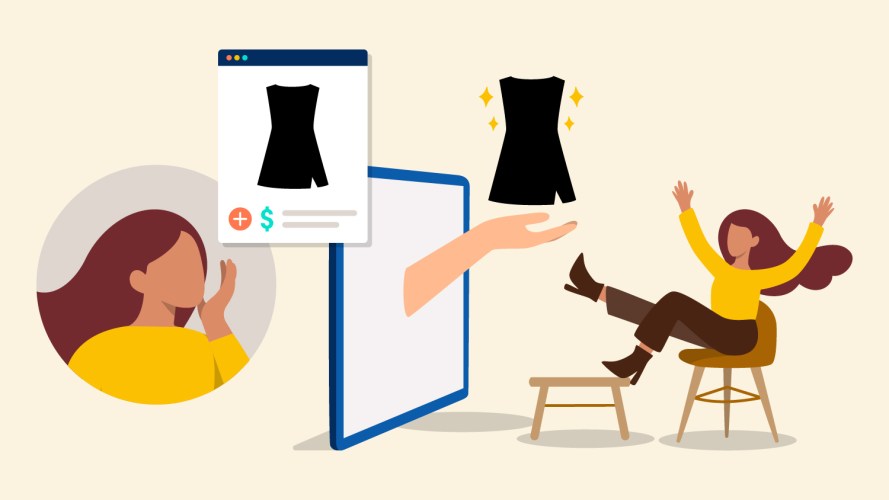
One easy way to provide relevant content is to use ExactTarget's dynamic content feature. Dynamic content is content you define and set to display in your email based on a set of rules. For example, if you're selling clothing, you might want to display men's apparel for your male subscribers and women's apparel for your female subscribers.
Dynamic content can be way more complicated than just providing content for...Read More »
Release 141.3 just introduced the ability to add a Facebook Like button to your email content. You can configure the button to "like" the entire email or a URL of your choosing.

Once you insert the button in your content box, you can edit the properties of the button. Edit the title, destination, site name, and any image that appears in the Facebook post. A convenient preview window allows you to tailor your post to appear just the way...Read More »
I've
said it before: I'm not an email marketer, but I'm a subscriber of
many, many brands. Because I'm so religious about the brands I subscribe to, I've found four very specific things that really draw me in. Here they are:
- Create a program worth subscribing to. This is huge. Email marketing isn't one of those "if you build it, they will come" efforts. You have to provide value that others will talk about. Giveaways and discounts are two good ways to start, but let your creativity shine through your email marketing program. Visit 3sixty's Design Center for design resources.
- Communicate the...
When it comes to managing your
subscribers and their data, you're faced with the decision of
whether to use a List or a Data Extension. Unless you really dig in
to our documentation (which you can), you don't immediately know
the difference between the two. Jason Greulich, an Implementation
Consultant with ExactTarget, recently put together a comparison of
the two features, and now it lives in our
documentation. Let's go through some of it.
A List is a collection of your subscribers that receive your communications. You create as many lists as you need to segment your subscribers so that you...Read More »
If you're a
client of ExactTarget, you definitely are. But even so, there's
some practical steps you can take to make sure you don't ever cross
that easily-blurred line of being non-CAN-SPAM
complaint. First, what is CAN-SPAM? CAN-SPAM is the popular name for the U.S. law regulating commercial email that went into effect on January 1, 2004. The real name is the Controlling the Assault of Non-Solicited Pornography and Marketing Act of 2003 (mouthful!).
ExactTarget provides two ways to do this: Smart Capture and Web Collect. Knowing which to use might not be immediately obvious, but choosing between Smart Capture and Web Collect really depends on whether you're using ExactTarget landing pages or not.

Smart Capture is designed to be used with ExactTarget landing pages. If you're already using landing pages to market your business, using Smart Capture makes sense. You can easily integrate and customize a Smart Capture form for...Read More »
Clean, active lists are an email marketers dream, but acquiring
that list can be a challenge. One way you can ensure your lists are
full of subscribers who want to be there is by setting a double
opt-in status for your lists (note, if you're configuring an
SMS campaign, double opt-in is required).
Double opt-in requires your subscribers to confirm their email
address after they subscribe. Double opt-in campaigns:
- minimize the number of invalid email addresses. No more fake email addresses for you. The only time a subscriber becomes active on your list is after they confirm their address from...

- Test Distribution - The percentage of your subscribers to send your A/B test to depends on the number of subscribers in your list(s). If you have more than 50,000 subscribers, ExactTarget recommends sending to 5% per condition. If you have less than 50,000 subscribers, we recommend using 10%.
- Wait Time - In order to receive complete results for your A/B test, ExactTarget recommends waiting at...
Just
the other day I opted for a more visually appealing birthday card
for a friend even though the content in another was just right.
Some designer somewhere had done one excellent job, and I took the
bait. Everyone knows you shouldn't judge a book by its cover,
but we all do. That's why email design is vital to the success of your email marketing program. As a marketer, you're interested in improving ROI, click-throughs, and conversions. The design of your messages plays a huge role in their success. After all, you want your subscriber to see your message the way you intended, and...Read More »
Every
marketer strives for success in their email campaigns, but
achieving that success can be challenging. At ExactTarget, we offer
three general guidelines:
- Serve the individual
- Honor their unique preferences with regard to communication, content, frequency & channels
- Deliver them timely, relevant content that improves their lives
OK, but what are
same practical ways you can get the results you want?
Well, the documentation department has put together a Best Practices
document that hits several key areas of email marketing.
This week I'm focusing on Deliverability. Take a
look:
- Play by the rules...
I not only work to help
enable email marketers, but I happen to make great use of their
products, too. I love a good deal, so when I encounter a brand
that even remotely matches my interests, I subscribe. Now, everyone
may not be like me. Some people guard their inbox like the crowned
jewels. But I’m guessing I’m not the only one who likes to
engage and be engaged. You probably know plenty of email marketing DON'Ts, so I won't add to that list. Instead, let me tell you what I, as a savvy 20-something email subscriber, want from you.
I present to you my email marketing DOs:
- DO welcome me. If...
![]()

Because it's so important, we've put together a few guidelines when creating your subject line:
Length
- It’s generally accepted that shorter subject lines generate higher open rates vs. lower open rates for longer subject lines
- Studies indicate however that longer subject lines, while generating lower open rates, can actually produce higher click through rates
- There is no magic length for optimal performance; however, truncation by ISPs...
Ooph. Not exactly the impression they were trying to make. This business tried to lure me in with personalization, and while addressing me as Name,First caught my eye, it was for all the wrong reasons. Personalization can make all the difference in your opens, but only when implemented correctly.
To insert a personalization string in the subject line with ExactTarget, you can select from a number of attributes in the personalization menu.

In this case, I want to select First Name. The...Read More »
Here's how:
- Preview the HTML and text versions of the email: Use the HTML and Text tabs on your email editor workspace. Some clients only receive the text version so you want to ensure that everything looks the way you intend in both...
Last time I wrote about
ExactTarget's Getting Started Guide and how you can use it to
get up and running with our application. Today I'm moving on to our
For
Marketers Guide. If you're somewhat familiar with the ExactTarget application, and especially if you've already gone through the Getting Started Guide, this guide is for you.
The purpose of this guide is to introduce you to some of the additional features not discussed in The Getting Started Guide. This is not a step-by-step process, but rather a list of features that you can use to make your email communications convenient for you and...Read More »
If
you're brand new to ExactTarget or just thinking about taking the
plunge, I'd recommend you check out a document that was written
just for you: The
Getting Started Guide.
Even if you've been using ExactTarget for a while, the information
in The Getting Started Guide might help you complete several
essential tasks. The guide is split into five sections:
-
Setting Up Your Account - This
page provides the basics for getting your application up and
running. If you need to update your settings or add a user, this
page tells you how.
- Importing Data Into ExactTarget - One of the first major steps...
So what is a bounce? Bounces are messages that ISPs send back to ExactTarget to explain why they can't deliver your email to the email address you sent it to. In other words, your subscriber can't receive your email. When an email can't be successfully delivered, ExactTarget labels the subscriber as Bounced.
But there are multiple types of bounces and various reasons each bounce occurs. Check it out: